
There's an article in your saved list you're never going to open. It's in German, or Arabic, or Spanish. You can read it—you've read plenty like it. But you were never going to listen to it, and listening is how you actually get through your queue now.
So it sits there. For a month. Then forever.
We just shipped the fix. It's called Listen In Your Language, and it's live now in @OutloudAIBot.

What changed
Send an article link or some text in a language you don't usually listen in. The bot stops before reading it and shows you two buttons:
[Translate to your language] [Keep original]
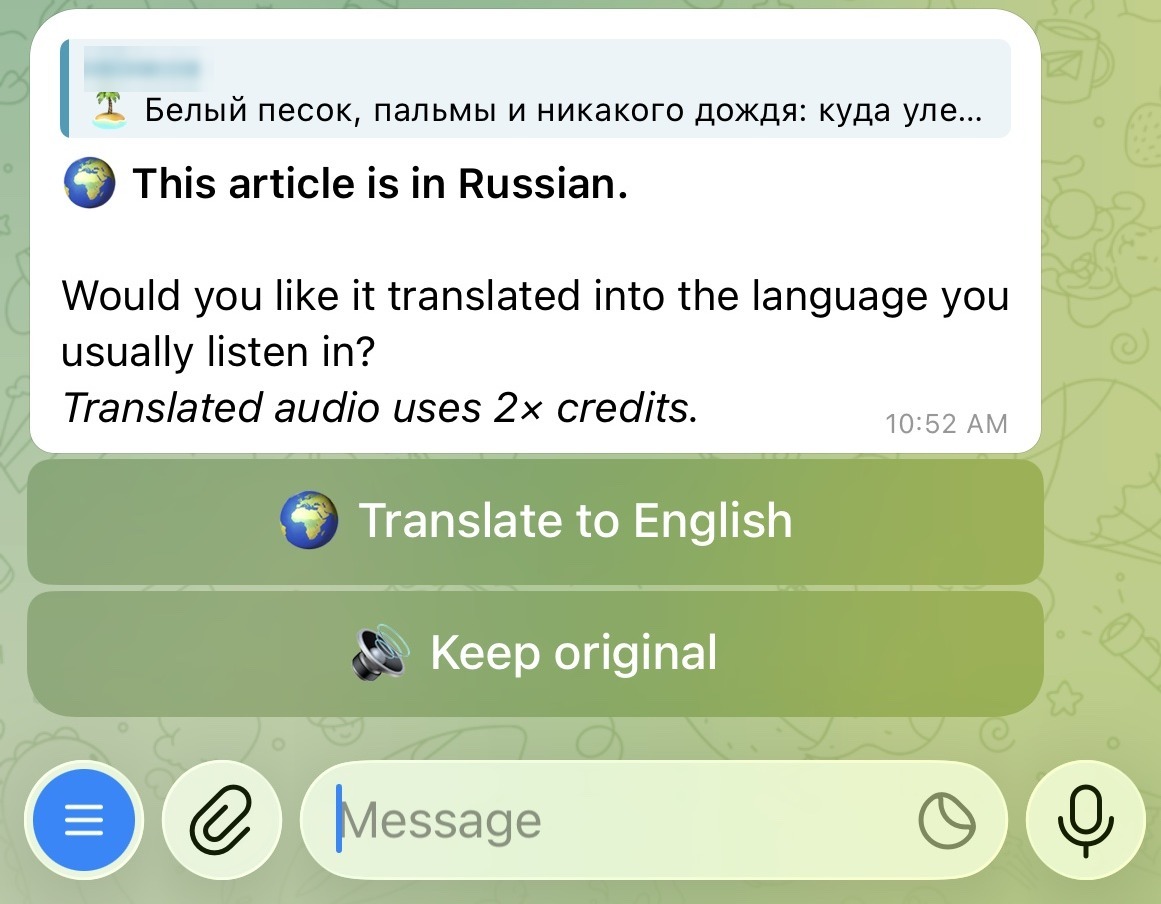
Tap translate, and you get the article in your language, through the same natural-sounding voices you already use. Tap keep original, and nothing changes—it reads it exactly as before.
That's the entire feature.
It already knows your language
You never configure anything. There's no settings screen, no language picker, no profile to fill in.
The bot works out your usual listening language from your own history—the languages of the articles you've already converted. Listen to a few things in a language, and that becomes your usual.
Brand new, with no history yet? It falls back to the language of your Telegram app.
Regularly listen in two languages? It offers both as translate options instead of guessing.
And it corrects itself. Start listening in a new language regularly and the bot learns, then stops asking.
Why translate at all, instead of just listening in the original
Because reading and listening are not the same skill.
When you read a dense article in your second or third language, you have escape hatches. You slow down. You reread the sentence. You look up the one word holding up the paragraph.
Audio takes all of that away. To rehear a sentence you missed, you fish out your phone, find the scrubber, and guess how far back to drag. So you don't. You let it go—and in a language you only read, letting one sentence go means losing the next three, because you were still decoding the last one when they arrived.
For listening, comprehension beats fidelity. A word-perfect reading of the original is worth nothing if you can't follow it hands-free. A translation you can follow while doing the dishes is worth more, because you'll finish it.
So that's what this is tuned for. Not publication-grade translation, not something you'd file in court—translation good enough to follow with your headphones in. Get the gist, in your language, while your eyes are busy.

The honest parts
It costs 2× credits. Translating and re-voicing an article is real work. The extra cost is shown on the button, before you tap it. You'll never find it on a statement instead.
It asks first, every time. This does not auto-translate. It never silently swaps your article into another language. You choose, one article at a time, and keep-original is always one tap away.
It only interrupts when languages actually differ. Send an article in the language you normally listen to—the overwhelmingly common case—and nothing changes. No prompt, no extra step.
Articles and text only. It doesn't translate files or PDFs. Send a PDF and you'll get it read in its original language, same as before. Files may come later.
Common languages, not a giant list. We're not claiming some huge fixed number. It covers the practical set of languages people actually send, and it gets better at the pairs that get used most—Arabic to English above all, alongside English with Hindi, German, and Spanish.
Try it on the link you keep skipping
Go find it—the article in a language you read fine but were never going to hear.
Send it to @OutloudAIBot. If it's in a language you don't usually listen to, you'll get the choice. Tap translate, put your headphones in, and finally get through the one you've been scrolling past for a month.
And if translating isn't what you wanted, keep the original. That's always one tap away too.